Global Controllable eSIM
Pay as You Go
Skip fixed data packages. Add credit when you need it, use data across the world, and control everything from one app.
How to claim your offer
-
1
Download the eSimity app
Install eSimity on your iPhone or Android device. Pay as You Go is only available in the mobile app — not on web checkout.
-
2
Sign in or create your account
Open the app and sign in with your email. New users can register in under a minute.
-
3
Open Pay as You Go
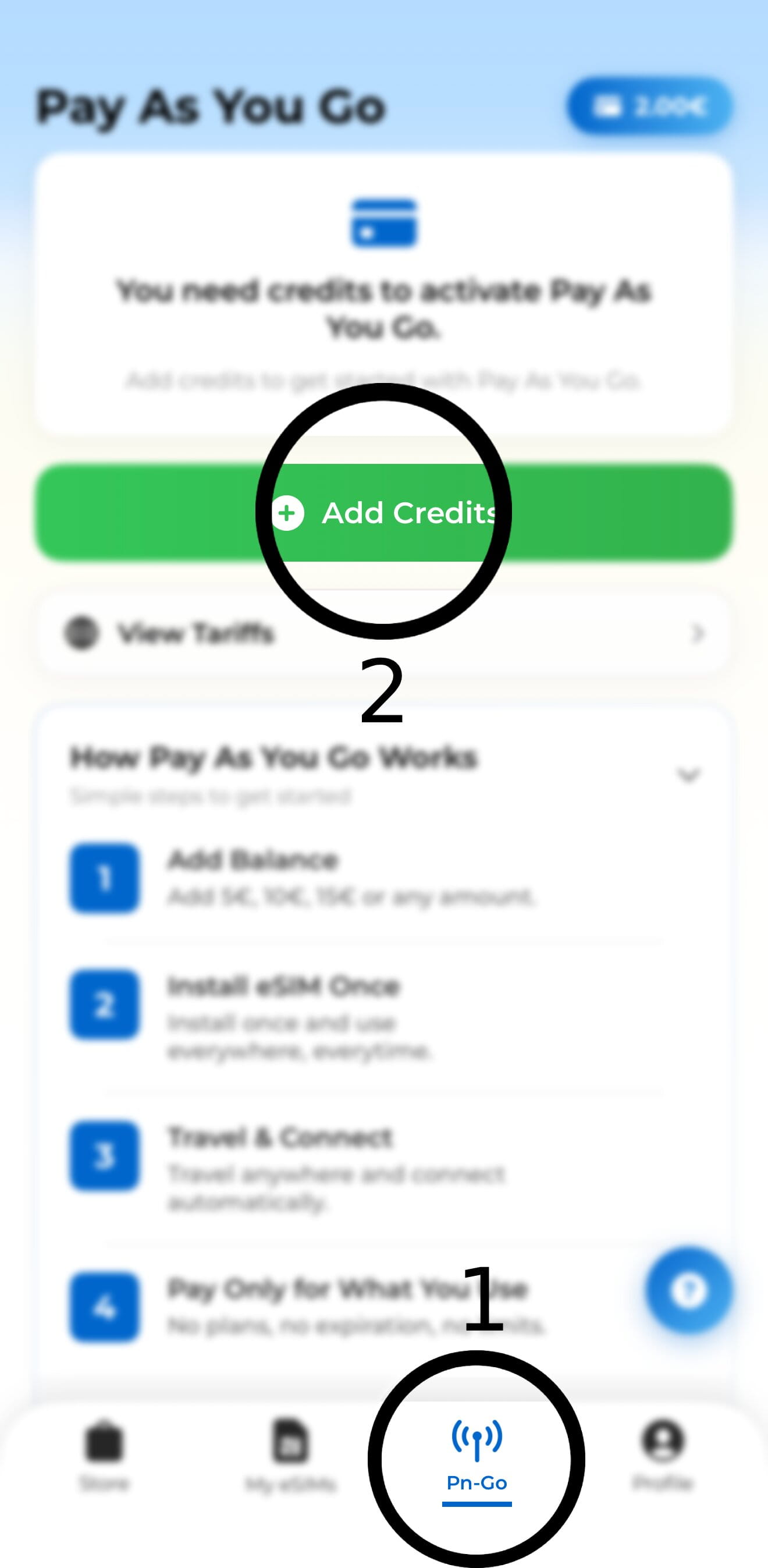
Tap the Pn-Go tab in the bottom navigation, then press Add Credits to get started.
-
4
Add credit to your balance
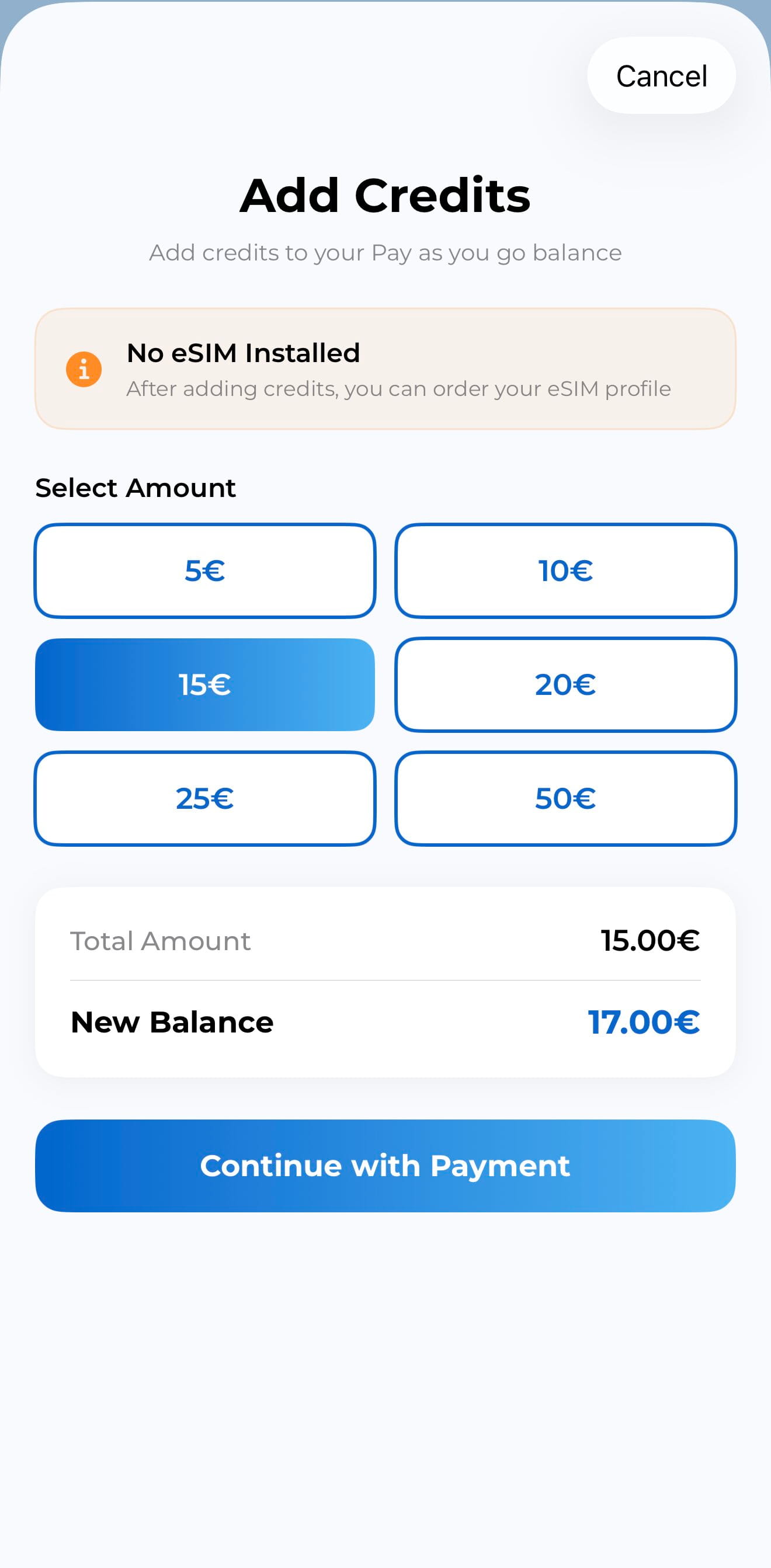
Choose an amount (5€, 10€, 15€ or more), review your new balance, and tap Continue with Payment.
-
5
Install your global eSIM
After adding credits, order and install your eSIM profile once from the app. One profile works everywhere.
-
6
Travel and stay connected
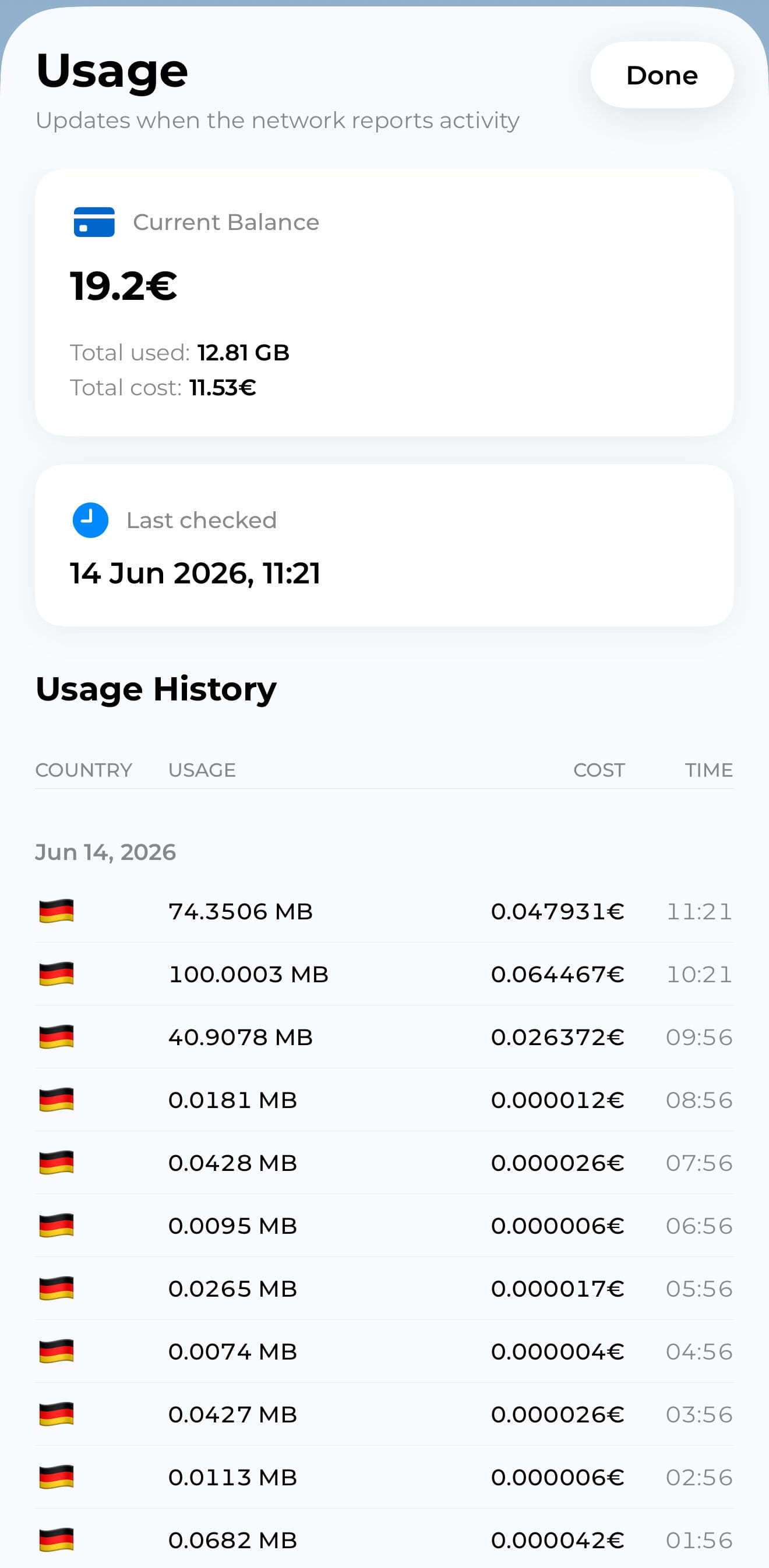
When you travel, data is deducted from your balance as you go. Track usage and costs live in the Usage screen.
Ready to start? Download the app and open Pay as You Go to claim your global eSIM.